Frequently Asked Questions
Quick answers to the most common questions about Tagger — covering video export, positioning, configuration and squads. If you don't find what you're looking for here, the guides in the sidebar cover each topic in more detail.
Why does exporting a video take a long time in the Studio?
The time it takes to export a video depends on two main factors:
- The processing power of your machine. Exporting is a processor-intensive task, particularly when re-encoding footage and rendering drawing overlays. We recommend a machine with at least 4 CPU cores and 16 GB of RAM for the best experience.
- The size and specification of your source video. Resolution, frame rate (FPS) and length all affect export time. For example, we have seen 70–80 minute games produce source files of over 13 GB. Videos of this size take considerably longer to export because every frame must be re-encoded — and clips that contain drawings take even longer still.
If you need to speed up exports, the most effective approach is to reduce the size of the source video before it reaches the Studio. You can ask your video operator to adjust their recording settings, or use a tool such as HandBrake to re-encode the video to a smaller, more efficient specification.
Why is my position map the wrong way around after teams swap sides in the second half?
When teams swap ends at half-time, you may want the position map turned round so that it matches the direction of play.
Maps that show team end indicators follow the Swap Sides button automatically while Auto Swap Position Map Sides is on, which is the default. The preference lives in Preferences → Tagger View → Tagging Behaviour.
If the preference is off, or the map does not show team ends, nothing is turned for you. Use the rotation control above the map while you are selecting a position. It offers 0°, 90°, 180° and 270°, and the setting is stored on the device you are using.
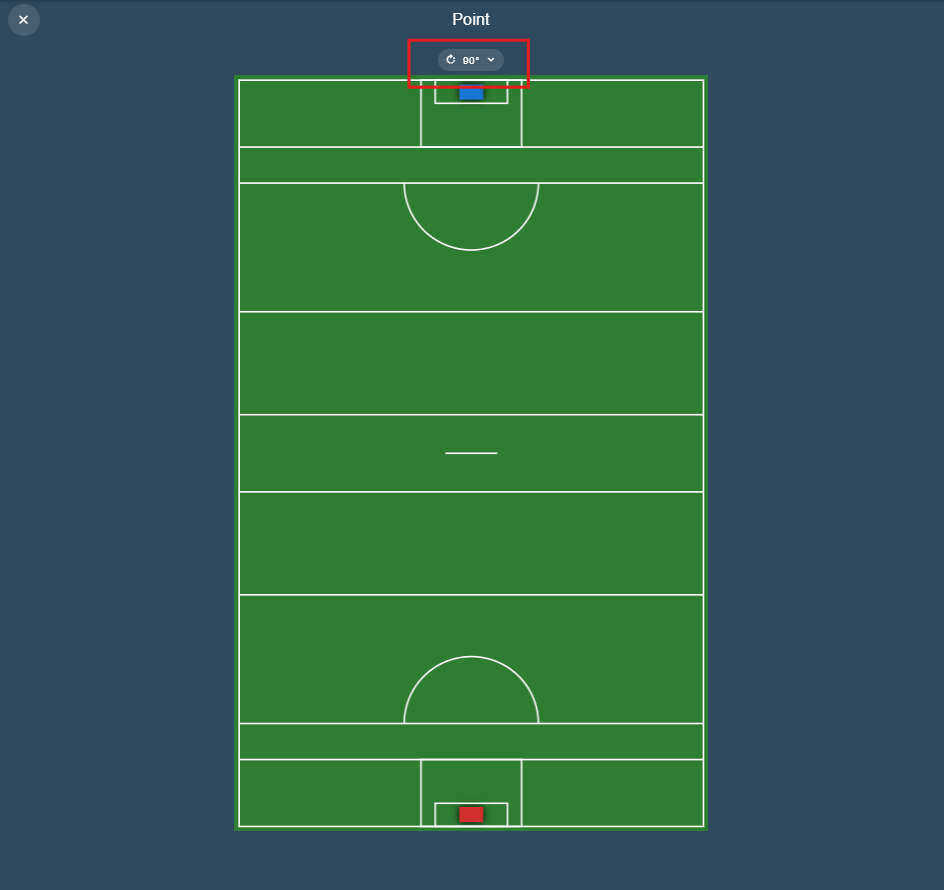
Each device keeps its own rotation setting, so set it on the device you are tagging with. See Rotating a Position Map for more detail.
I imported a Configuration Template — can I add my own event buttons?
Yes. A Configuration Template is a starting point, not a fixed setup — you can edit the imported Configuration to add events, labels, links and other customisations to suit your workflow. See Event Configuration for full details.
Do I have to add my players to every game manually?
No. You can create a Squad once and select it in the Team A or Team B step when you create a game — Tagger pre-fills the team name and lineup, so you never have to enter players manually again. See Squads for details.
How do I keep two camera angles in step?
Use Angle Sync. Turn on multi-view in the Tagger, click Angle Sync, add a sync point at a moment you can identify in every angle, then scrub each angle to match video 1. The difference is recorded for you and applied wherever the footage is played. See Angle Sync.
Local video files give the most accurate alignment. A streamed source can only be seeked to within a fraction of a second, so its offsets are approximate.